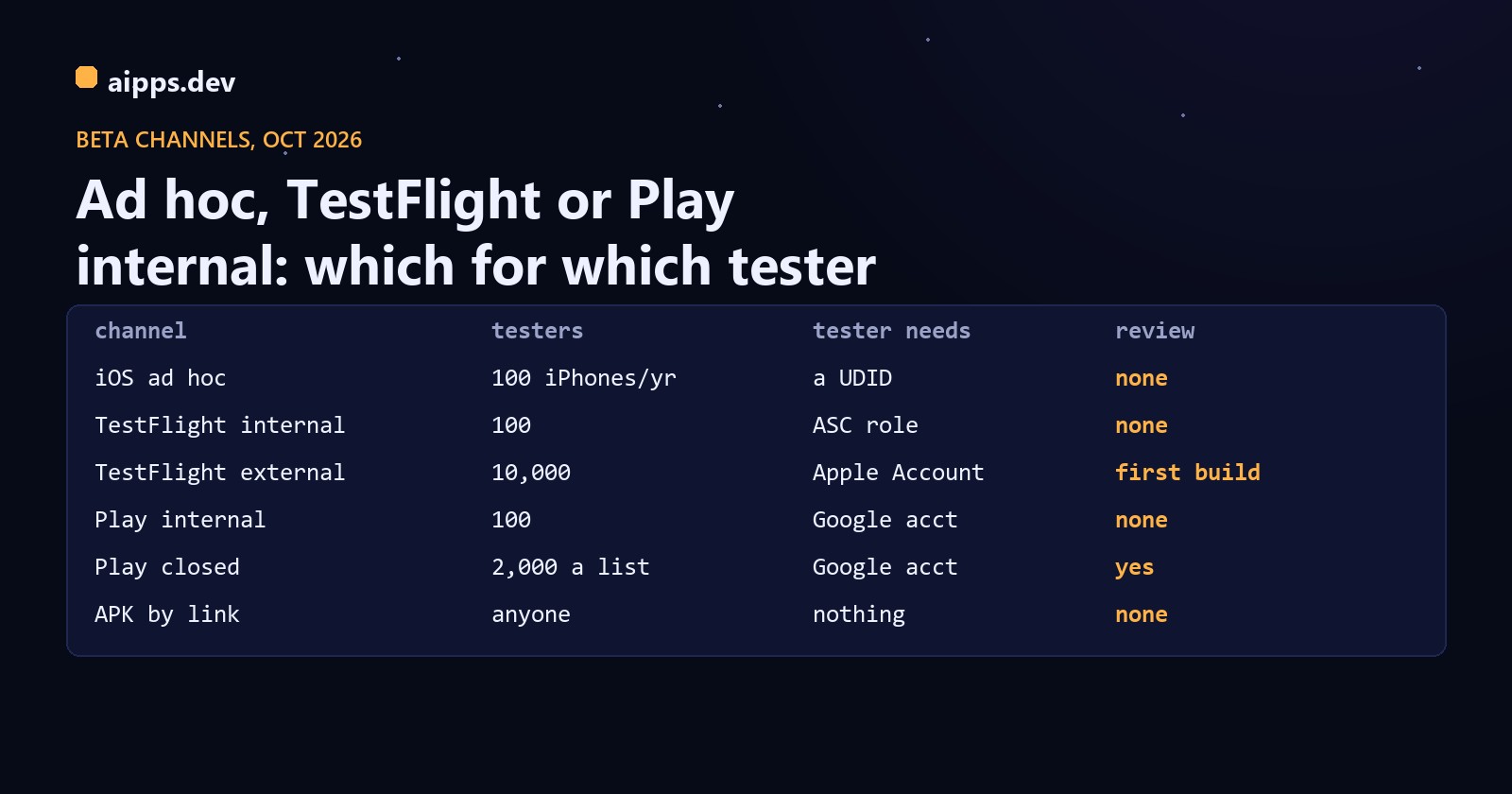
A test build can reach a phone through nine channels: an iOS ad hoc build, TestFlight for internal or external testers, Play's internal, closed and open tracks, Play internal app sharing, Firebase App Distribution, or a plain APK link. They differ in how many people they take, what the tester needs, whether someone reviews the build first and how long it takes from upload to phone. Picking by habit ("we always use TestFlight") costs either a day of review or a seat you didn't need to give away. This is the comparison, with the figures from Apple's, Google's and Firebase's documentation as they read on 25 October 2026.
Every channel, side by side
And what it costs and how fast it is. Apple publishes no processing time and no beta review time; the TestFlight figures are Codemagic's usual 5 to 30 minutes for processing and Runway's two-week average for beta review (14 h 47 min waiting plus 1 h 15 min in review, updated 22 October 2026). The Play figures are Google's own words.
iOS: ad hoc or TestFlight
An ad hoc build is signed with a profile that lists device UDIDs, and it installs only on those devices. Apple allows 100 devices per product family (iPhone, iPad, Mac and so on) per membership year. Disabling a device doesn't give the slot back; the count can only be reset when the membership renews, when the Account Holder or an Admin is offered the chance to remove devices. In exchange you get no upload, no processing and no review: the IPA is on a phone a minute after the build finishes. Adding a tester means registering their UDID, regenerating the profile and rebuilding, so new testers wait for the next build.
TestFlight is the opposite trade. No UDIDs, up to 10,000 people, and the build can go on to the App Store unchanged; but every build is processed after upload, and the first build of each version for external testers waits for Beta App Review. Internal testers skip the review, but each one needs a role in your App Store Connect team. The details, including the 90-day expiry, are in TestFlight in practice.
Two other Apple routes aren't testing channels. The Enterprise Program ($299 a year, 100+ employees, a D-U-N-S number and Apple's verification) is for in-house apps for your own staff, and Apple says it isn't for beta testing. Unlisted apps are App Store apps reachable only by link, after a full App Review, and Apple declines requests for beta or prerelease apps.
Android: tracks, sharing or a link
Play's internal testing track takes up to 100 testers by email list, and new builds are available to them within minutes. Google's wording on review is that internal tests might not be subject to standard Play policy or security reviews, and that on the very first upload the app may show a temporary name for up to 48 hours. Closed testing is the track with the large lists (2,000 people per email list, up to 200 lists per app and 50 per track, or Google Groups), and its link can take several hours to go live. It is also the only track that counts for the 12 testers for 14 days rule that new personal accounts must meet before production. Open testing is for public betas: unlimited, or capped at 1,000 or more.
Internal app sharing is the quick one for teams already on Play: anyone with the release permission (or an authorised uploader who isn't a Play Console user) uploads an APK or bundle and gets a link. Version codes don't have to be new, any signing key is accepted, and Google re-signs the build with an internal sharing certificate. The limits are per link: 100 downloads, valid for 60 days. The tester needs a Google account and must switch on internal app sharing in the Play Store settings once, and the app has to be on Play in their country. Builds shared this way can't be promoted to a track.
Outside Play, Firebase App Distribution sends APKs, bundles and IPAs to up to 500 testers per project (200 per group), keeps builds for 150 days and is free. For iOS it doesn't remove the UDID step: the tester's device is registered through a Firebase profile, and you still add the UDID to an ad hoc profile and rebuild. And a plain APK link needs nothing from the tester but a one-time 'install unknown apps' switch, which is why it is the fastest channel of all; Android developer verification changes that from 2027, see developer verification for apps outside Play.
Which tester gets which channel
A worked example
A team of 4 developers and 6 QA testers, with 40 customers in a private beta and a public beta planned for next month, shipping a build every weekday:
The 20 UDIDs leave room for new hires and replacement phones within the year, and the developers never wait for processing. QA could use either channel on iOS: ad hoc is faster, while TestFlight keeps the build history and screenshot feedback in one place. Everything customer-facing goes through the store channels, because that's where the review happens anyway and where the 12-for-14 clock runs on Android.
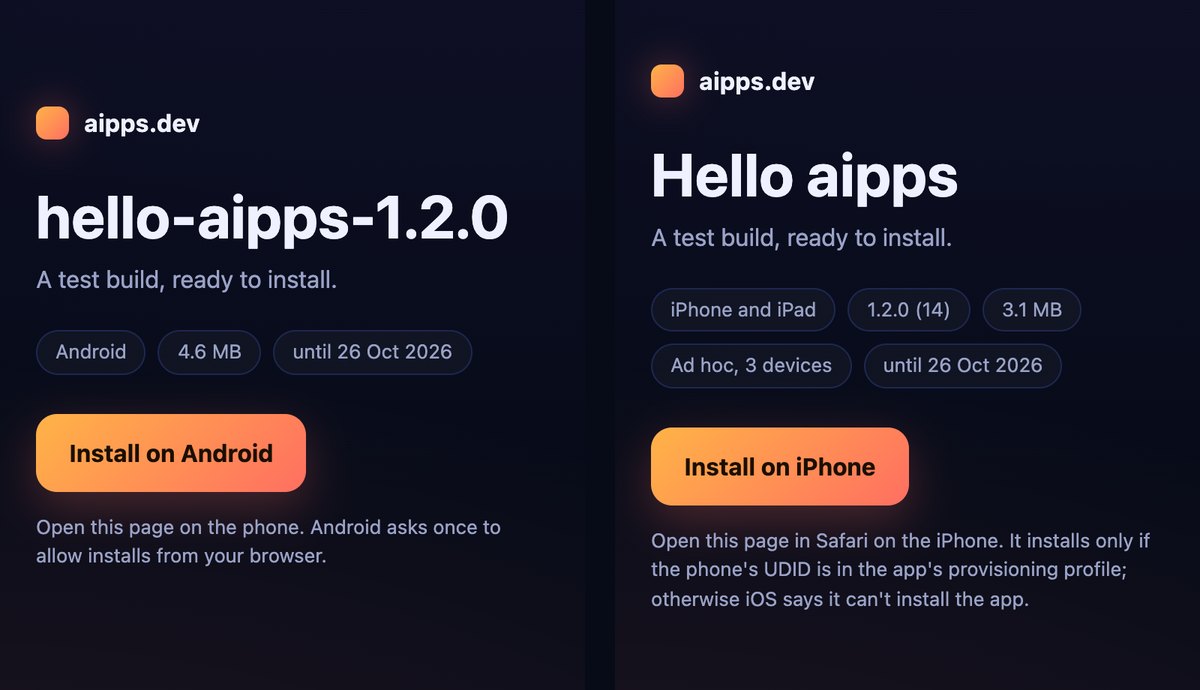
For the fast lane (developers and QA on ad hoc and APK builds), aipps.dev puts every build on a QR install page, and you can try it with any APK or IPA now.
Make an install linkSources, read 25 October 2026: Apple Developer, Devices overview (100 per product family per membership year, renewal reset), Enrollment (fees), Apple Developer Enterprise Program, Unlisted app distribution, Custom apps; App Store Connect Help, Add internal testers and Invite external testers; Google Play Console Help, Set up an open, closed or internal test (answer 9845334), Internal app sharing (answer 9844679), App testing requirements for new personal developer accounts (answer 14151465), Registration fee; Firebase App Distribution docs (manage testers, distribute iOS apps, tester setup) and Firebase pricing; Codemagic help on TestFlight publishing time; Runway, runway.team/appreviewtimes (updated 22 October 2026).