Google now requires Android apps on certified devices to come from a developer who has verified their identity and registered the app's package name with its signing key. Apps on Google Play were mostly handled automatically. The teams that have work to do are the ones that ship outside Play: APKs on their own website, enterprise apps, alternative stores, and test builds sent to testers by link or QR code. This is what changed, what is enforced today and what comes in 2027, and the exact steps, from Google's developer verification documentation and blog as they read on 25 October 2026.
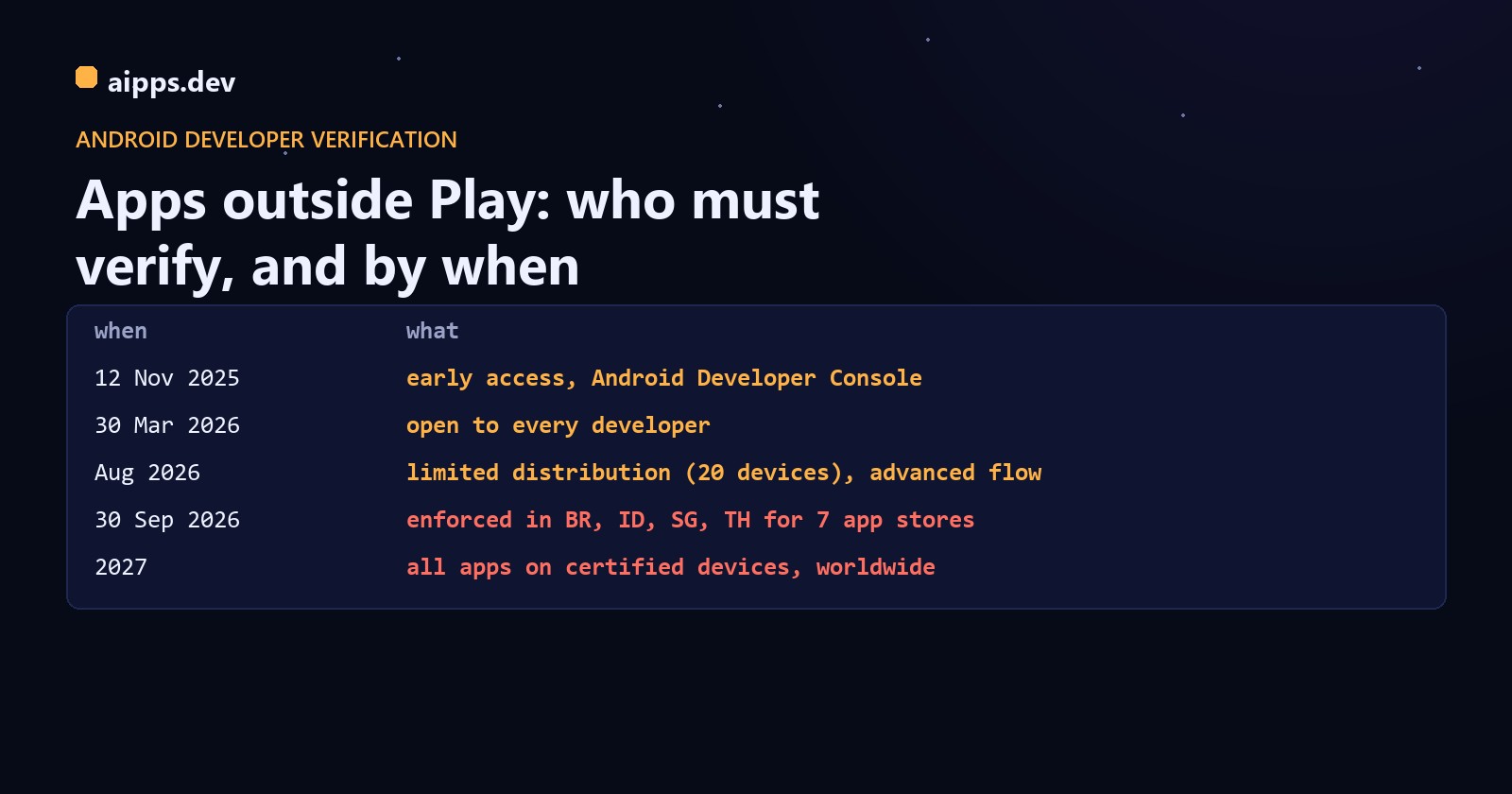
The timeline
What is enforced right now, and what isn't
Since 30 September 2026 the check runs in four countries, and Google's FAQ limits it, for now, to apps installed from seven participating stores: Google Play, HONOR App Market, OPPO App Market, Samsung Galaxy Store, Palm Store, V-Appstore and Xiaomi GetApps. Its wording is that if you distribute through other stores, or users sideload your app directly, the requirements won't apply to your app yet. Not every Google page agrees: the limited distribution guide says unregistered package names will no longer be installable on certified devices in those regions, without mentioning stores, and Android Authority reported in August that a Google community manager said the install source doesn't matter, only the registration. Read the FAQ as today's rule and the stricter pages as where it is going.
Google gives Android 7 and up as the scope on its developer site; its consumer help page says Android 8 and up. Either way the check comes through Google Play services, so phones without Google services are outside it.
Two kinds of account
For a business the choice is made for you: limited distribution excludes commercial use, so a company's QA phones belong under a full account. Start with the slow part: a D-U-N-S number is free from Dun & Bradstreet but Google warns it can take up to 28 days. The individual form takes about 10 minutes if the documents are at hand.
Registering a package, step by step
Apps on Play that use Play App Signing were registered automatically (Google says 99% of Play apps), and the rest had until 30 September 2026 to register in Play Console. For an app that ships only outside Play, it happens in the Android Developer Console at android.google.com/developerconsole:
A package can have several registered keys. If the name is already claimed by someone else you can ask to share it, with an extra review; Google settles disputes in favour of the developer whose keys cover more than half of the app's known installs. And the rule that should change how you store keys: if you lose your signing key, you can't register the package. Our code signing guide covers making and backing up keys.
Count your packages and keys first
Registration is per package name and per signing key, and build setups multiply both. A typical React Native app with three variants, worked through:
Two choices keep the list short. Install debug builds with adb (or Android Studio, which uses adb) instead of sending them by link; or, if testers need debug builds over the air, commit one shared debug keystore for the team and register that fingerprint once. And if an alternative store re-signs your APK with its own key, register that store's fingerprint too, from the copy it serves.
Testers and the advanced flow
A tester whose phone must install an unregistered build has two routes. adb install from a computer always works and skips every wait. On the phone itself, Android's advanced flow lets an experienced user allow apps from unverified developers, once:
The 24-hour wait is the part to plan around: a tester can't do it in the meeting where they need the build. For testers in Brazil, Indonesia, Singapore or Thailand installing through one of the seven stores, register now; for everyone else, register before 2027 and keep adb as the fallback.
Check registration in CI
Google's Developer ID Status API answers, for a package and a fingerprint, whether it is registered. It takes an API key from a Cloud project, allows 1,000 requests a day per project, and makes a cheap release gate before a build goes out by link:
REGISTERED_WITH_ANOTHER_CERTIFICATE_FINGERPRINT is the one to stop on: the name is registered, but not with the key this build is signed with, which is exactly what happens when CI signs with a different keystore from the one you registered. Registration itself can be automated too, through the Android Developer Console API, but only with a user's OAuth consent (no service accounts): keep a refresh token in a CI secret.
The checklist
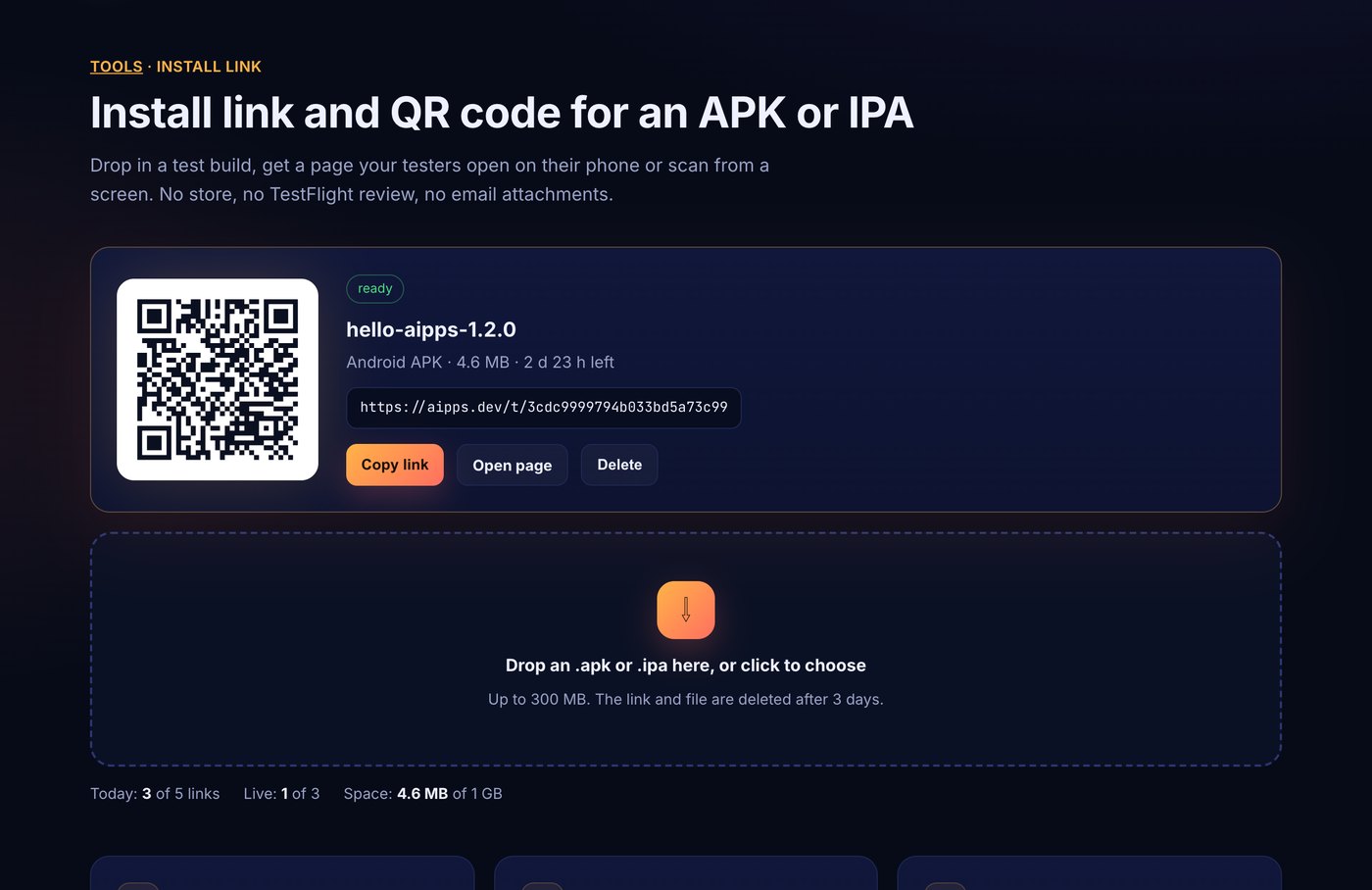
aipps.dev builds your Android app with the key you register and puts each build on a QR install page for testers.
Make an install linkRelated: ad hoc vs TestFlight vs Play internal testing for the store routes that avoid sideloading, and the 2026 and 2027 store deadlines.
Sources, read 25 October 2026: Android Developers, Developer verification (overview, guides, FAQ, Android Developer Console, full distribution, limited distribution, Developer Console API, check registration status); Google Android Help, answer 17065026; Android Developers Blog, 12 November 2025, 30 March 2026 and 18 June 2026 (updated 15 July) posts; Android Authority, 18 August 2026 (advanced flow rollout) and 1-2 October 2026 (what is enforced); Malwarebytes, 27 August 2025 (announcement).