A React Native app is signed twice, once for each platform, and the two systems have nothing in common. iOS uses certificates that expire every year and provisioning profiles that tie a certificate to an app and, for test builds, to a list of devices. Android uses keys that are meant to last decades, one of which you must never lose. Most signing pain comes from not knowing which item is which, who holds it, and what breaks when it expires. This is the inventory for both sides, with the numbers from Apple's, Google's and Expo's documentation as they read on 25 October 2026, and what to do when something goes wrong.
iOS: what you hold and how long it lasts
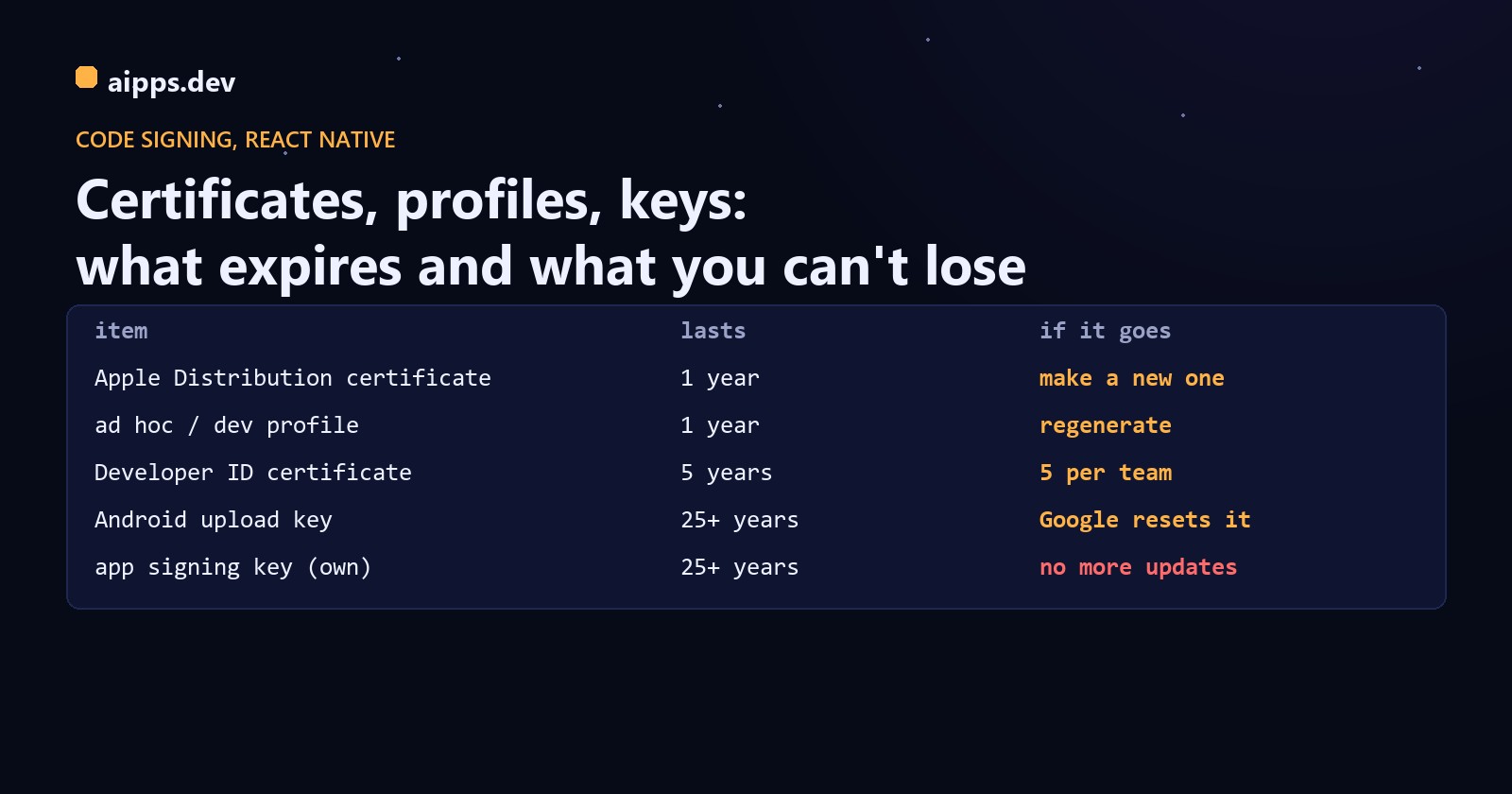
Since Xcode 11 the certificate types are just Apple Development and Apple Distribution; the old iOS Development and iOS Distribution types are only for Xcode 11 and earlier. A provisioning profile is what makes a certificate usable: it names the app ID, the certificate, the entitlements (push, App Groups, Sign in with Apple) and, for development and ad hoc profiles, the device UDIDs. Change any of those and the profile has to be regenerated.
What breaks when a certificate expires or is revoked
This is the table to read before you click Revoke. Apple's certificates page is explicit about App Store and in-house builds; the ad hoc line follows from the profile, which is only valid with a valid certificate (fastlane's docs say the same: revoking disables ad hoc and enterprise builds, while App Store and TestFlight builds keep working).
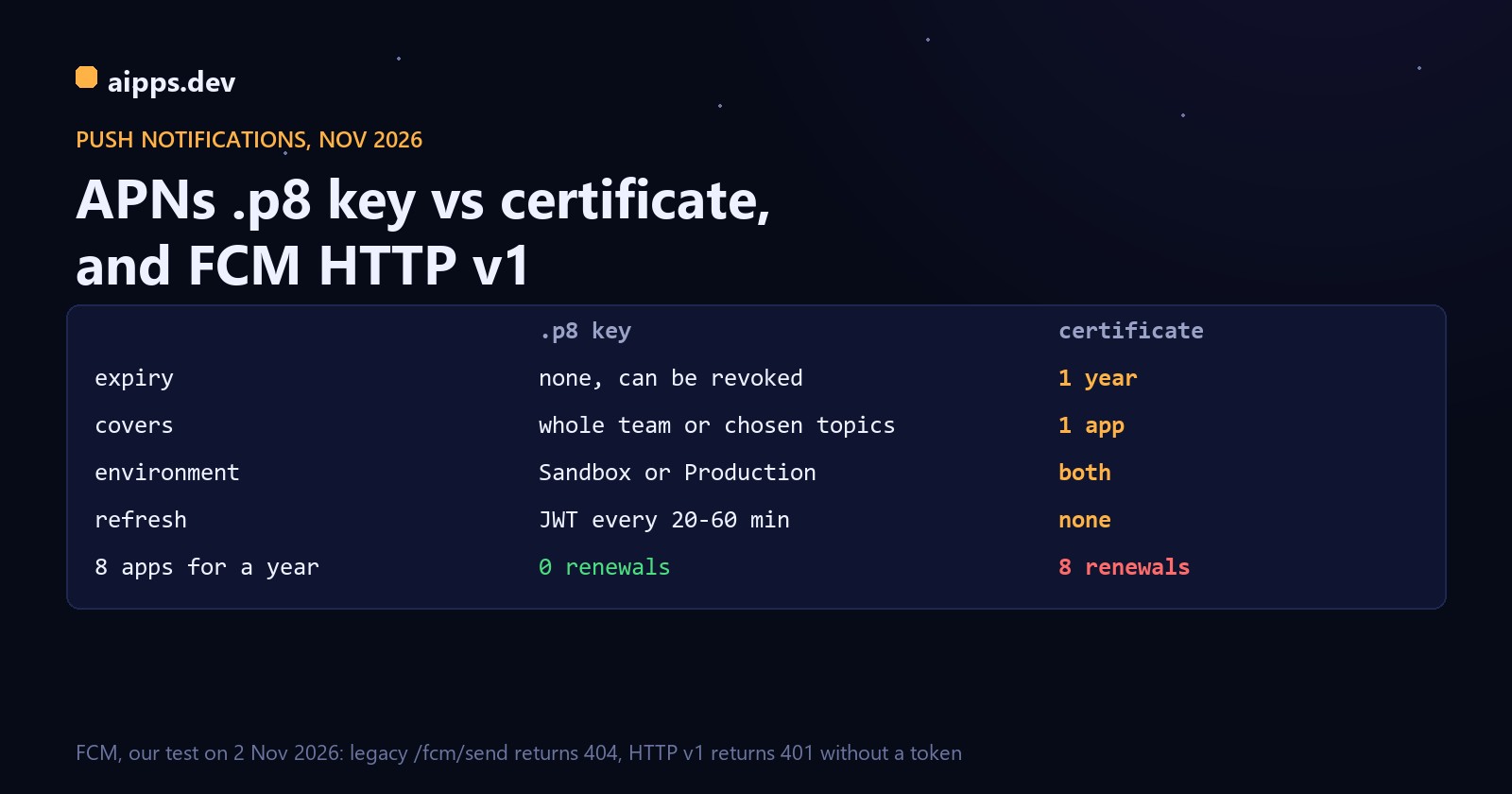
Two practical consequences. First, an expiring App Store distribution certificate is not an emergency: Apple's DTS says it only has to be valid at the moment you upload, so you create a new one, regenerate the App Store profile and carry on. Second, revoking is the dangerous action, not expiry: revoke the certificate your ad hoc testers are on and every tester build stops at once. Use the .p8 APNs key instead of push certificates; it doesn't expire and one key serves every app in the team.
Newer rules for test builds
For teams created after 6 June 2021, development and ad hoc apps check in with Apple (ppq.apple.com) on first launch. A device that will be offline can use an offline profile, valid for 7 days, and apps that must run offline longer need extended offline validity from Apple. If a tester's freshly installed ad hoc build won't open on a locked-down network, that check is the first suspect.
Android: two keys, one of which must never be lost
Play App Signing has been required for new apps since August 2021, when app bundles became mandatory: Google keeps the app signing key, which never changes for the life of the app, and you sign uploads with a separate upload key that can be replaced. Google generates RSA 4096-bit app signing keys; an upload key must be RSA of at least 2048 bits, in a Java keystore. Google recommends a validity of at least 25 years, and Play requires a key that is valid until after 22 October 2033.
New in 2026, and worth knowing before you set up a new app: Google's Play App Signing page now says new apps are enrolled in quantum-ready hybrid signing with Google-generated keys, a classical RSA 4096-bit key plus a post-quantum ML-DSA-65 key, which Android 17 (API level 37) and above verify with APK signature scheme v3.2. You can also request an annual key upgrade for installs on Android 17 and above. The practical effect for most teams: more than one app signing certificate fingerprint to register with services such as Firebase.
Make the upload key once, properly
PKCS12 has been the JDK's default keystore type since JDK 9. Keep the passwords out of the repository: the React Native docs put them in ~/.gradle/gradle.properties (your user's Gradle settings, not the project's), and Android's docs use a keystore.properties file that is kept out of source control:
Resetting a lost upload key
The bug everyone hits once: fingerprints
Google Sign-In, Firebase Auth and Maps API keys check the SHA-1 or SHA-256 fingerprint of the certificate that signed the installed app. With Play App Signing that is Google's app signing key, not your upload key. The symptom is a build that signs in fine when you install it from your machine and fails for everyone who installs from Play (DEVELOPER_ERROR or error code 10 from Google Sign-In). Register all of them:
Signing on CI without tears
On iOS the private key behind a certificate exists only in the keychain where the certificate signing request was made, so a laptop that dies takes it along. Export the certificate with its key as a password-protected .p12 and keep it with the other secrets, or let a tool own it: fastlane match keeps certificates and profiles in an encrypted git repo (or Google Cloud or S3) and its docs recommend readonly mode on CI; fastlane setup_ci creates a temporary keychain for the run. With Expo, EAS stores the distribution certificate, profiles and push key on its servers, so collaborators can build with just their Expo account, and eas build:resign re-signs an existing .ipa with a new ad hoc profile after you add a device, without a rebuild.
A yearly signing calendar
Android developer verification adds one more reason to guard keys: you register each package name with its signing key, and Google's FAQ says that if you lose your signing key you won't be able to register your packages. See developer verification for apps outside Play.
aipps.dev signs your iOS and Android builds on our own machines with your certificates, profiles and upload key, and every build gets a QR install page.
See aipps.devRelated: installing an ad hoc build from a QR code shows how the profile's device list decides who can install, and TestFlight in practice covers the App Store side of distribution.
Sources, read 25 October 2026: Apple Developer, Certificates support page (one distribution certificate of each type per team; what happens on expiry and revocation), Certificates overview, Devices overview, Create a development provisioning profile, Provisioning profile updates (ppq check-in, 7-day offline profiles), Developer ID (five certificates of each type); Apple DTS forum posts on certificate limits and on upload-time validity; Google Play Console Help, Use Play App Signing (RSA 4096, upload key RSA 2048+, hybrid ML-DSA-65 signing, annual key upgrade) and Reset a lost or compromised upload key; Android Developers, Sign your app (25 years, 22 October 2033, keystore.properties); Google, Authenticating your client (fingerprints); OpenJDK JEP 229 (PKCS12 default); React Native, Publishing to Google Play Store; Expo docs, App credentials and Managed credentials; fastlane match and setup_ci docs; Android developer verification FAQ.