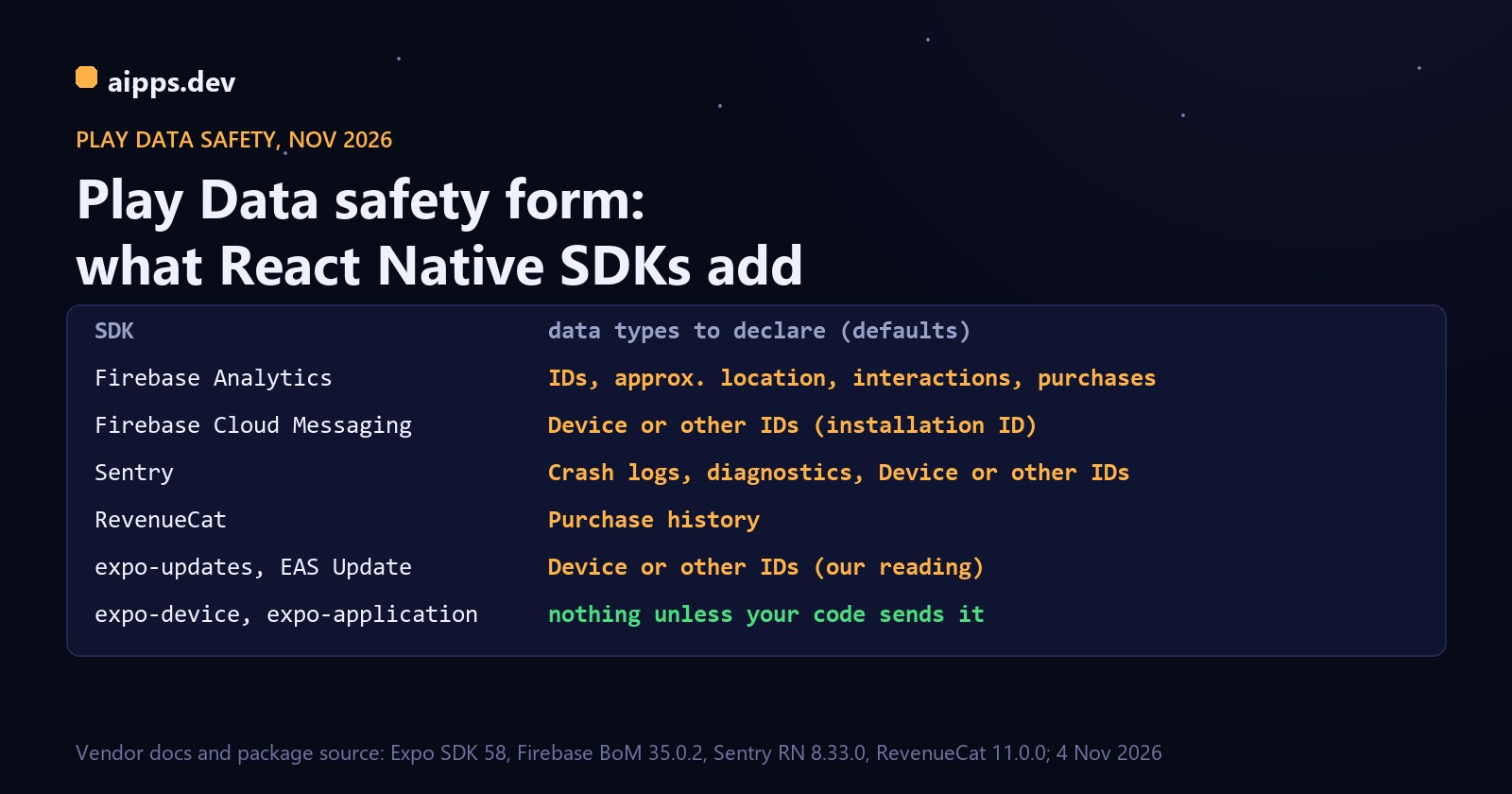
Table: what React Native SDKs add to the Google Play Data safety form. Firebase Analytics: IDs, approximate location, interactions, purchases. Firebase Cloud Messaging: Device or other IDs. Sentry: crash logs, diagnostics, Device or other IDs. RevenueCat: purchase history. expo-updates with EAS Update: Device or other IDs, our reading. expo-device and expo-application: nothing unless your code sends it. From vendor docs and package source, 4 November 2026

Google Play's Data safety form asks what your app collects, and for a React Native app most of the answer lives in libraries you installed with one npm command. The form covers those libraries too: Google says the disclosure includes data handled through any third-party SDKs in your app. This guide goes through Firebase, Sentry, RevenueCat and the Expo modules one at a time, shows which Play data type each item maps to, and ends with a filled example, including the CSV rows.

How we checked: on 4 November 2026 we read each vendor's data page and Google's Data safety help page, then downloaded the current packages and read their Android manifests and source: Expo SDK 58 (expo-updates 58.0.21, expo-notifications 58.1.8), React Native Firebase 27.1.0 (Firebase BoM 35.0.2: Analytics 24.0.0, Messaging 26.0.0, Crashlytics 21.0.0, Performance 23.0.1), @sentry/react-native 8.33.0 (sentry-android 8.62.0) and react-native-purchases 11.0.0. This is a docs and source review, not a capture of network traffic, and only RevenueCat publishes its own mapping to Play's data types. Every other mapping below is our reading, and you alone answer for the form. Where a line rests on our judgement, we say so.

The rules that decide most answers

text
question                  Google's rule                                         what it means for SDKs
Is it collected?          Data transmitted off the user's device                A library that only reads a value locally
                          (on-device-only processing isn't collection)          (expo-device) adds nothing
Is it shared?             Transferred to a third party; service providers       Most crash and analytics SDKs in default use
                          acting on your instructions don't count               are collected, not shared
                          (building ad profiles across customers disqualifies)
Is it ephemeral?          Held in memory only, for the real-time request        No for everything stored by a vendor
Required or optional?     Optional only if all users can opt in or out          SDK on by default with no switch = required
IP address?               Not its own type; location inferred from IP           Declare Approximate location only if IP is
                          goes under Approximate location                       used to work out location
Advertising ID?           Device or other IDs                                   Firebase Analytics reads it by default
Encrypted in transit?     Yes only if it holds for all collected data           Includes your own API and every SDK
Who must fill it in?      Every app on closed, open or production tracks        Internal-testing-only apps are exempt

Two details trip people up. The help page calls one type "User IDs", while Google's sample CSV labels the same row (PSL_USER_ACCOUNT) "Personal identifiers". And Device or other IDs explicitly lists a "Firebase installation ID", while Firebase's own page says that ID doesn't uniquely identify a user or device. For this form, Google's list is what counts, so any app with Firebase Messaging, Crashlytics or Remote Config should expect to tick Device or other IDs.

Firebase: what each SDK sends and where it goes on the form

Firebase publishes per-SDK data lists but doesn't map them to Play types, so the right-hand column is ours, apart from the Advertising ID line, which is Google's own FAQ. All Firebase data travels over HTTPS. Firebase says it isn't sent to third parties except subprocessors, or when you direct it, such as by linking Firebase to non-Firebase services.

text
SDK                 sent automatically (Firebase's list)                  Play data type (our mapping)
Analytics           App-instance ID, Android Advertising ID               Device or other IDs
                    Coarse location derived from masked IP                Approximate location
                    Purchases: product ID, name, price                    Purchase history
                    Screen views, sessions                                App interactions
Crashlytics         Stack traces, app state at crash                      Crash logs
                    Device metadata                                       Crash logs (context of the report)
                    Crashlytics installation UUID                         Device or other IDs
Cloud Messaging     App version; Installation ID via its dependency       Device or other IDs
Performance         Start time, network latency, CPU, memory              Diagnostics
                    IP address, used to map events to countries           Approximate location
Remote Config       Country, language, time zone, OS version              Other app performance data*
                    Installation ID via its dependency                    Device or other IDs
Authentication      IP for abuse prevention, user agent strings           No type of its own (not used for location)
                    If used: name, email, phone, generated User ID        Name, Email address, Phone number, User IDs
Firestore, Storage  The signed-in User ID in requests                     User IDs
Cloud Functions     Function name, caller IP, FCM token;                  Device or other IDs, User IDs
                    the signed-in User ID in requests

* The Remote Config row is the weakest fit: the values are used to target parameters, and you could argue for no separate type at all. Choose one, note why and keep it consistent. Firebase also bundles a "Firebase user agent" (OS version, device model, installer, SDK versions) across its SDKs and says it is never linked to a user or device identifier, so we don't give it a row of its own.

The same data can also grow beyond the defaults. Crashlytics custom keys, logs and user IDs, or Performance custom traces, carry whatever you put in them. Calling setUserId with your account ID makes that User IDs, and a logged email address makes it Email address.

The Advertising ID comes in with Analytics

We unpacked the Android libraries: play-services-measurement-api 24.0.0, pulled in by firebase-analytics 24.0.0, declares com.google.android.gms.permission.AD_ID, ACCESS_ADSERVICES_AD_ID and ACCESS_ADSERVICES_ATTRIBUTION. None of these appears in @react-native-firebase/analytics' own manifest, so checking the npm package won't show them. React Native Firebase reads these switches from firebase.json at build time (both ID flags default to on):

json
{
  "react-native": {
    "analytics_auto_collection_enabled": true,
    "google_analytics_adid_collection_enabled": false,
    "google_analytics_ssaid_collection_enabled": false,
    "crashlytics_auto_collection_enabled": false
  }
}

To drop the permission itself in Expo, add "com.google.android.gms.permission.AD_ID" to android.blockedPermissions in app.json, or use tools:node="remove" in a bare app's AndroidManifest.xml. Turning auto collection off and enabling it after consent is also what lets you honestly answer "Users can choose whether this data is collected", which Google allows only if all users can opt in or out.

Sentry: an install ID by default, more with sendDefaultPii

We found no Play mapping in Sentry's documentation, so we read its React Native "Data collected" page and the sentry-android-core 8.62.0 source. One default is easy to miss: with no user set, DefaultAndroidEventProcessor fills user.id from Installation.id(context), an ID stored in a file named INSTALLATION in the app's files folder, and DeviceInfoUtil sets device.id from the same value. It still fits Google's wording for an identifier relating to an individual device or app.

text
setting                      what goes to Sentry                                  Play data type (our mapping)
default                      Errors, stack traces, breadcrumbs                    Crash logs
default                      Installation ID as user.id and device.id             Device or other IDs
default                      Model, memory, screen, locale, time zone, boot time  Crash logs (context of the report)
default                      Outgoing request URLs and query strings (always)     Depends on what your URLs carry
default                      JS console logs as breadcrumbs (may contain PII)     Depends on what you log
default                      IP inferred by Sentry's backend from the request     Approximate location, only if used for location
tracing on                   Spans, timings                                       Diagnostics
sendDefaultPii: true         Headers, cookies, logged-in user info, device name   User IDs or Other info; check your headers
Sentry.setUser({email})      What you pass                                        Email address, User IDs
Session Replay on            Replays with text, images, webviews, input masked    App interactions
Screenshots on               Screenshots, may contain PII                         Depends on what your screens show
View hierarchy on            Layout tree, may contain PII                         Depends on your identifiers

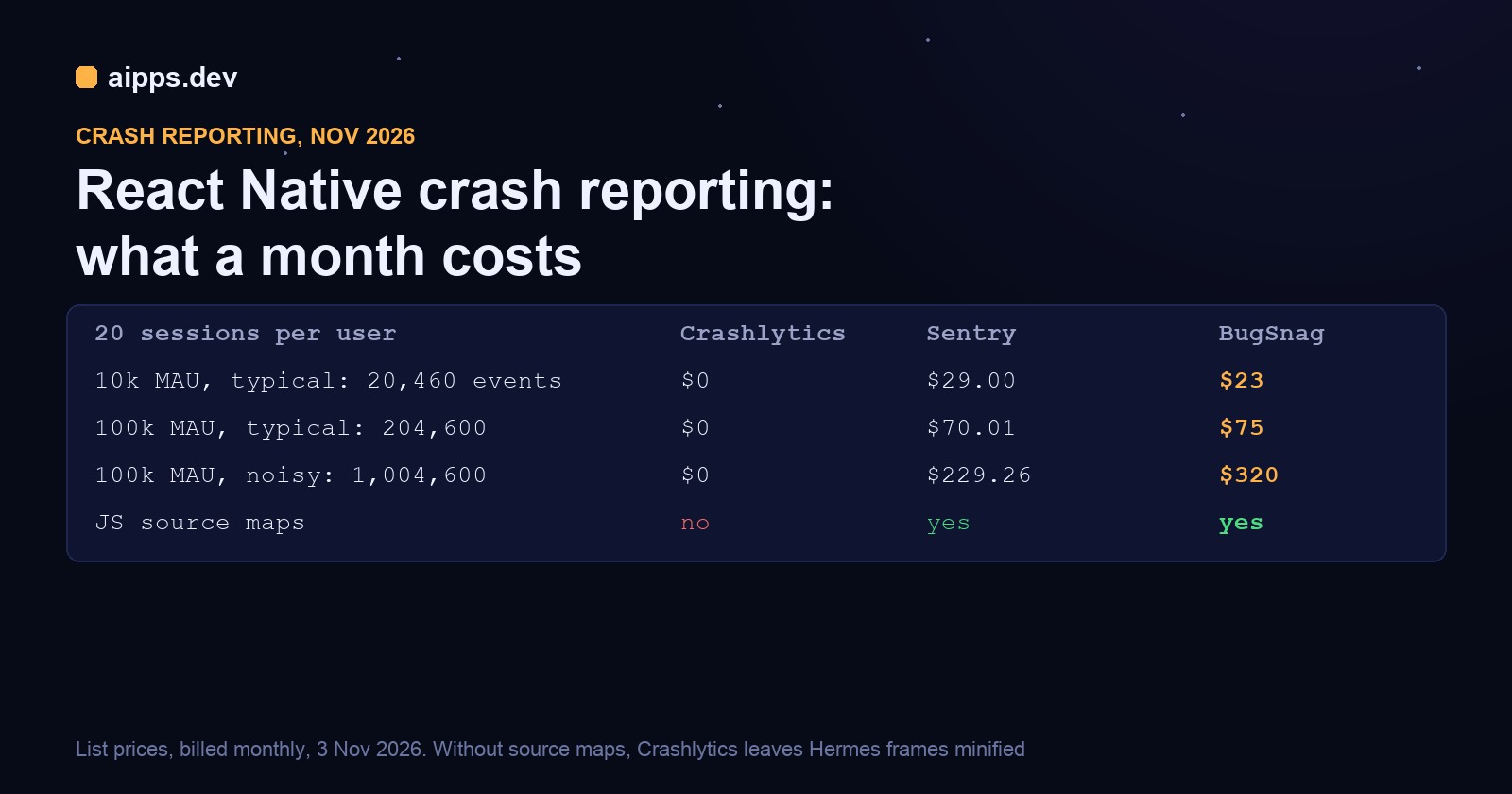
The risky lines are the ones marked "depends". Sentry says full outgoing URLs and query strings are always sent. If your API puts an email or token in a query string, that goes with them, so move it to the request body. Pass Sentry.setUser({ip_address: '0.0.0.0'}) if you don't want the IP inferred. On cost and source maps, see Crash reporting for React Native in 2026.

RevenueCat: the one vendor with a published answer

RevenueCat's "Google Play's Data Safety" page gives direct answers: declare Purchase history, Collected, not ephemeral, required, for App functionality and Analytics. Data is encrypted in transit, and you can delete a customer from the dashboard or REST API. It says no location (only locale and currency code), no app activity and no crash logs or diagnostics. It adds two conditional rows, which the source helps explain.

text
if you...                                       declare                     where it comes from
use RevenueCat at all                           Purchase history            RevenueCat docs
store name, email or phone as attributes        Personal info rows          RevenueCat docs
call collectDeviceIdentifiers() or any          Device or other IDs         Docs; source comment: GPS ID and Android ID,
  attribution ID setter                                                     and IP set to true
log in with your own account ID                 User IDs                    Our reading; the default is a random $RCAnonymousID
send events to a non-service-provider           Shared, on top of           RevenueCat docs
  integration                                   Collected

Expo modules: mostly nothing, with two exceptions

Expo's docs don't map modules to Play types either. Most Expo modules are device APIs that only pass data to your JavaScript, so Google's on-device rule applies until your code uploads the result. The exceptions are the two that talk to a server on their own.

text
module (58.x)                 what it does by itself                               declare
expo-updates                  Sends an EAS-Client-ID header on update requests:    Device or other IDs,
                              a random UUID kept in app preferences                App functionality (our reading)
expo-notifications            FCM through firebase-messaging 25.0.1;               Device or other IDs,
                              getExpoPushTokenAsync posts deviceId, app ID and     App functionality
                              device token to exp.host
expo-device                   Reads model and OS; no network code on Android       Nothing unless you send it
expo-application              Exposes ANDROID_ID to JS; doesn't send it            Device or other IDs if you send it
expo-tracking-transparency    Android getAdvertisingId() reads it                  Device or other IDs if you send it
expo-location                 Coarse + fine permissions in its manifest            Approximate/Precise location if uploaded
expo-camera, expo-image-picker  Camera permission in the manifest                  Photos, Videos if uploaded
expo-audio                    Audio APIs                                           Voice or sound recordings if uploaded
expo-contacts, expo-calendar  Device APIs                                          Contacts, Calendar events if uploaded

expo-updates is the judgement call. Expo's privacy page says update requests carry no unique device identifiers, only the OS, project ID and "a random token used to determine if an installation of the app has requested an update". The code shows that token: one UUID per install, stored in preferences under eas-client-id. Google's type covers identifiers that relate to "an individual device, browser or app", so we would declare it. If you already use FCM, the row is ticked anyway. Permissions aren't the test: a camera permission with photos that never leave the device adds no data type, but Google can act when it detects a mismatch between behaviour and your answers.

A filled example

The app: Expo SDK 58, email sign-in on your own API, Firebase Analytics with defaults, push through expo-notifications, Sentry with tracing and no sendDefaultPii, RevenueCat subscriptions under your own account IDs, and EAS Update. No ads and no third-party integrations. All eight rows below are Collected, not Shared, and not ephemeral.

text
data type             required/optional  purposes                                  because of
Email address         Required           App functionality, Account management     Your sign-in API
User IDs              Required           App functionality, Analytics, Account     Your API, Purchases.logIn, Sentry.setUser
                                         management
Purchase history      Required           App functionality, Analytics              RevenueCat, Analytics purchase events
Approximate location  Required           Analytics                                 Analytics (masked IP)
App interactions      Required           Analytics                                 Analytics (screen views, sessions)
Crash logs            Required           Analytics                                 Sentry
Diagnostics           Required           Analytics                                 Sentry tracing
Device or other IDs   Required           App functionality, Analytics              FCM, EAS-Client-ID, Analytics, Sentry

The top-level answers are: collects data, yes; encrypted in transit, yes, provided your own API is HTTPS-only too; deletion, yes, only if you really offer a path. Google accepts an in-app feature, form or email alias. Your process has to cover your database and RevenueCat, and Sentry and Analytics data if you promise those. Google also accepts automatic deletion or anonymising within 90 days.

Purposes are your choice per data type, and the set above is what fits this app. A crash reporter you use to fix bugs reads as Analytics, and an ID used to deliver pushes reads as App functionality. If you link Firebase to Google Ads or send RevenueCat data to a third party that isn't your service provider, add Shared and Advertising or marketing where that applies.

What each SDK really costs you on the form

Taking one SDK out of that app changes less than you might expect, because several rows have more than one source:

text
remove                  rows that disappear                       rows that stay
Firebase Analytics      Approximate location, App interactions    Device or other IDs (FCM, updates, Sentry);
                        (6 rows left; AD_ID permissions go too)   Purchase history (RevenueCat)
Sentry                  Crash logs, Diagnostics (6 left)          Device or other IDs (FCM, updates, Analytics)
RevenueCat              none                                      Purchase history (Analytics events);
                                                                  User IDs (your API)
FCM and EAS Update      none                                      Device or other IDs (Analytics, Sentry)

The same answers as CSV

The form can be exported and imported as a CSV: App content, Data safety, Start, then Export to CSV or Import to CSV. Google's sample file has 763 rows covering 207 questions, and our example fills 48 of them. These are the rows for the top-level answers and one data type. Each other data type repeats the last group with its own ID: PSL_EMAIL, PSL_USER_ACCOUNT, PSL_PURCHASE_HISTORY, PSL_APPROX_LOCATION, PSL_USER_INTERACTION, PSL_PERFORMANCE_DIAGNOSTICS and PSL_DEVICE_ID.

csv
Question ID,Response ID,Response value
PSL_DATA_COLLECTION_COLLECTS_PERSONAL_DATA,,TRUE
PSL_DATA_COLLECTION_ENCRYPTED_IN_TRANSIT,,TRUE
PSL_DATA_COLLECTION_USER_REQUEST_DELETE,,TRUE
PSL_DATA_TYPES_APP_PERFORMANCE,PSL_CRASH_LOGS,TRUE
PSL_DATA_USAGE_RESPONSES:PSL_CRASH_LOGS:PSL_DATA_USAGE_COLLECTION_AND_SHARING,PSL_DATA_USAGE_ONLY_COLLECTED,TRUE
PSL_DATA_USAGE_RESPONSES:PSL_CRASH_LOGS:PSL_DATA_USAGE_EPHEMERAL,,FALSE
PSL_DATA_USAGE_RESPONSES:PSL_CRASH_LOGS:DATA_USAGE_USER_CONTROL,PSL_DATA_USAGE_USER_CONTROL_REQUIRED,TRUE
PSL_DATA_USAGE_RESPONSES:PSL_CRASH_LOGS:DATA_USAGE_COLLECTION_PURPOSE,PSL_ANALYTICS,TRUE

We checked every ID against Google's sample file with a script, but we did not import this into a live console. Importing overwrites your existing answers, so export a copy first and use the export from your own console as the base, keeping its full column layout.

Check your own build

Package manifests don't show the final result, because libraries pull in others. Read the merged manifest of the release bundle, and search your own code for the calls that widen the data:

bash
# 1. permissions in the real release bundle
bundletool dump manifest --bundle=app-release.aab | grep uses-permission

# 2. which data SDKs are in the app
npm ls --all 2>/dev/null | grep -E 'firebase|sentry|purchases|expo-(updates|notifications)'

# 3. calls that add rows to the form
grep -rnE 'sendDefaultPii|setUser\(|setUserId|logIn\(|setAttributes|setEmail|setPhoneNumber|collectDeviceIdentifiers|androidId|getAdvertisingId' src app

Then repeat this with every SDK upgrade. Google says your answers "must remain accurate and complete at all times", and a single dependency can add permissions you never see in npm. A sensible habit is to keep the CSV export in your repo and review it in the same pull request that adds or upgrades a data SDK.

The form becomes required once you leave internal testing, so it lands right around the 12 testers for 14 days closed test. The iOS counterpart is a different file and a different check: Privacy manifests for React Native apps.

Need the release bundle to check? aipps build -p android --profile production builds your React Native or Expo app on our builders, and --submit internal sends it to Play's internal track, which doesn't need the form yet. aipps.dev doesn't fill in the Data safety form for you.

Read the build docs

Sources, read 4 November 2026: Google Play Console Help, Provide information for Google Play's Data safety section, and its sample CSV; Firebase, Prepare for Google Play's data disclosure requirements; Google Analytics Help, Prepare for Google Play's data disclosure requirements; Sentry for React Native, Data collected; RevenueCat, Google Play's Data Safety; Expo, Privacy explained (last updated 2 November 2026) and Permissions guide. Package source: expo-updates FileDownloader.kt, expo-eas-client EASClientID.kt, expo-notifications getExpoPushTokenAsync.ts, expo-application ApplicationModule.kt, expo-tracking-transparency TrackingTransparencyModule.kt, sentry-android-core DefaultAndroidEventProcessor.java, DeviceInfoUtil.java and Installation.java, purchases-android SubscriberAttributesManager.kt and IdentityManager.kt, the play-services-measurement-api 24.0.0 AAR manifest, and @react-native-firebase/analytics build.gradle. This is a practical guide, not legal advice.