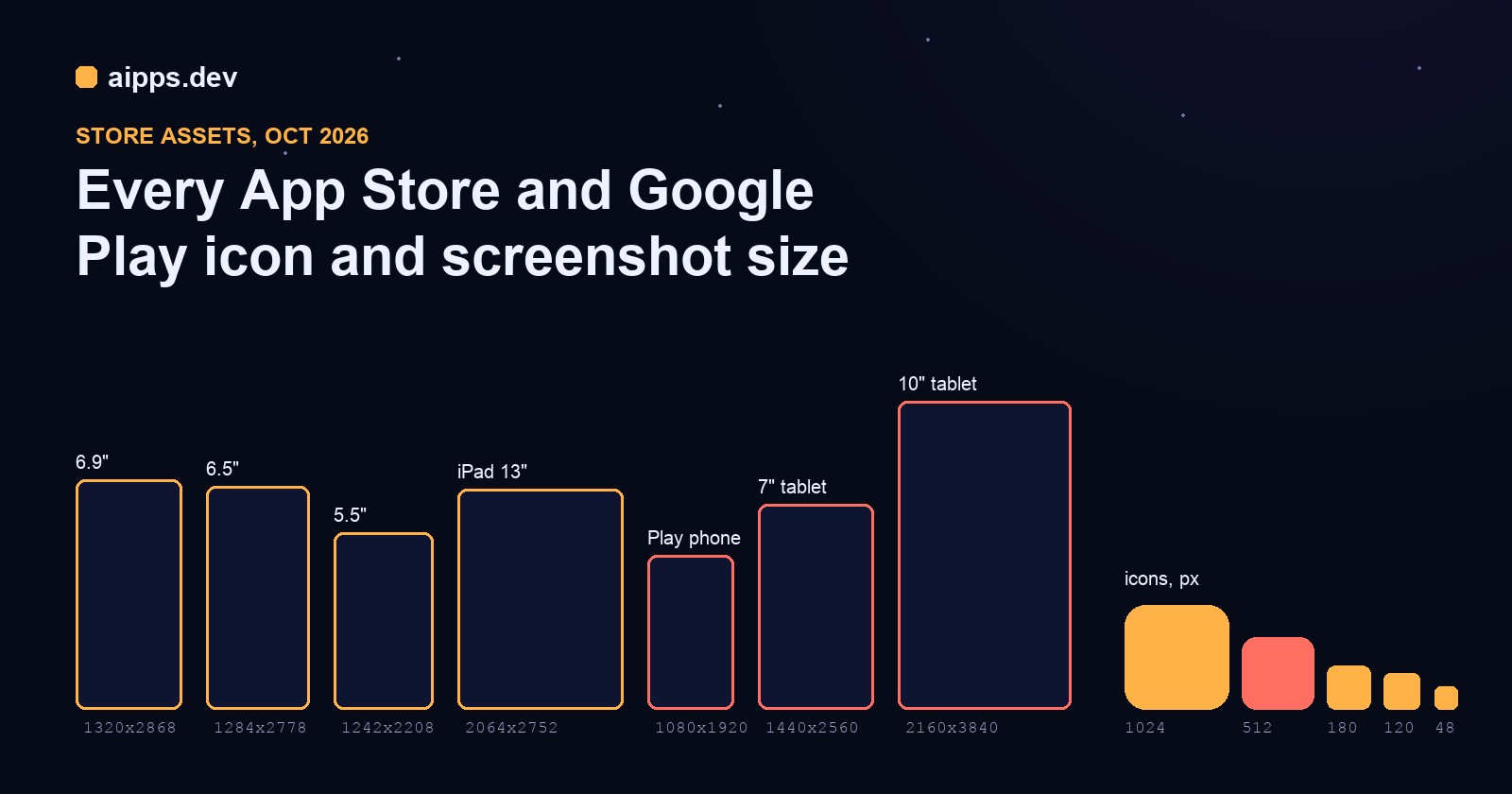
Store listings fail on pixels more often than on policy. App Store Connect rejects a screenshot that's 2 px off, Play Console refuses one that's too tall for its 2:1 rule, and an icon with a transparent corner gets a build sent back. The sizes are all published, but across two stores, a dozen device classes and four icon formats they're spread over many pages. Here they are in one place as of October 2026, checked against Apple's and Google's own pages on 23 October, with a worked example that turns one 1024 px icon and one iPhone screenshot into all 31 files.
App Store screenshots
Apple accepts 1 to 10 screenshots per device size and language, as PNG or JPEG with no transparency. You don't have to upload every size: App Store Connect scales the largest set you give it down to the smaller devices, so most apps upload one iPhone set and, if the app runs on iPad, one iPad set.
The practical set for an iPhone and iPad app today is 1320x2868 (or 1290x2796, the size an iPhone 15/16 Pro Max screenshot already is) plus 2064x2752. Add 1284x2778 only if your design looks different on the older Face ID phones, and keep an eye on iPhone Duo: Apple's page now lists it, with screenshots required from April 2027 for apps on the iOS 27.1 SDK.
Google Play screenshots and graphics
Play's rules are ranges, not fixed sizes, which is friendlier until a file breaks one of them:
The rule that catches iPhone-first teams: a modern iPhone screenshot is 2.17 times as tall as it is wide (2868 / 1320), and Play allows at most 2. Upload your App Store set to Play unchanged and it's refused. The fix is to fit it into 1080x1920 with a little padding at the sides, not to crop the status bar off or stretch it.
Icons
Two traps: Apple rejects a 1024 icon with an alpha channel even if every pixel is opaque, so flatten it onto a solid colour before export; and an Android adaptive icon foreground whose art fills the whole 108 dp square gets its edges cut off by round and squircle masks. Keep the art within the middle 66 dp (61%).
Worked example: one icon and one screenshot to 31 files
We fed our store images tool a 1024x1024 PNG icon and one real 1290x2796 iPhone screenshot (aipps.dev's home page captured at 430x932 points, 3x), with every target ticked and white padding so the padding is easy to see.
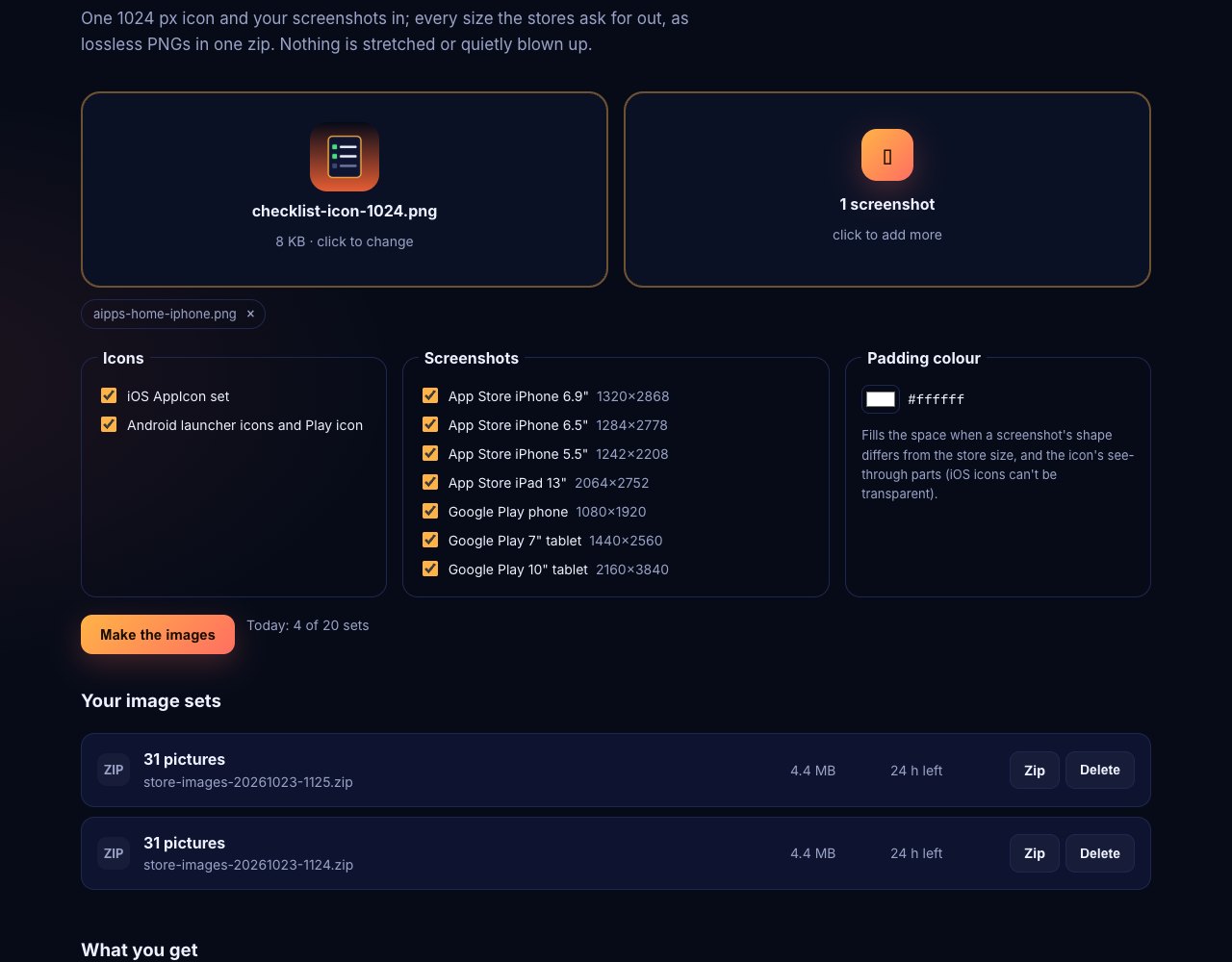
It took a few seconds and returned a 4.65 MB zip (4.4 MB in the tool, which counts in binary megabytes) with 31 pictures: 13 iOS icons with Contents.json, 10 Android launcher and foreground icons with the adaptive icon XML, the 512 px Play icon, and the screenshot in 7 sizes. Every screenshot is scaled with Lanczos to fit inside the target and centred; nothing is cropped or stretched:
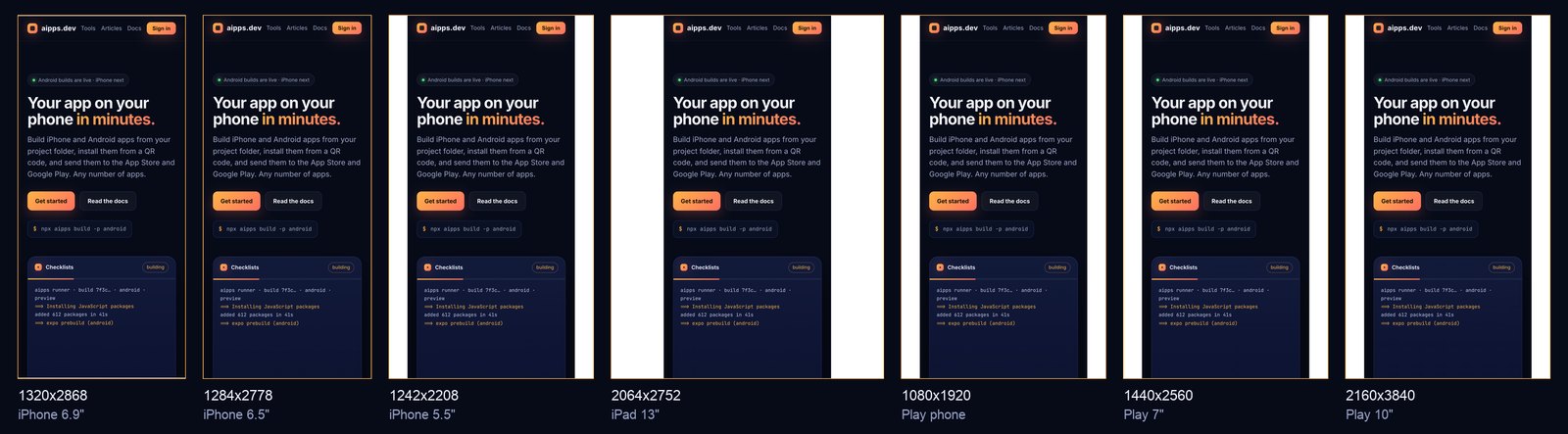
What the numbers say: a 6.7" screenshot fits the 6.9" and 6.5" slots almost exactly (3 px and 1 px of padding), so one capture covers both. Every 16:9 size (5.5" and all three Play sizes) needs about 8% of the width as side bars; pick a padding colour that matches your app's background and the bars disappear. The iPad slot is the one where a phone screenshot looks like a phone screenshot: 397 px of padding on each side. Apple accepts it, but a real iPad capture sells the app better. And the 10" Play size scales the screenshot up 1.37x; that's within what stays sharp, and the tool warns when a picture has to grow more than 2x.
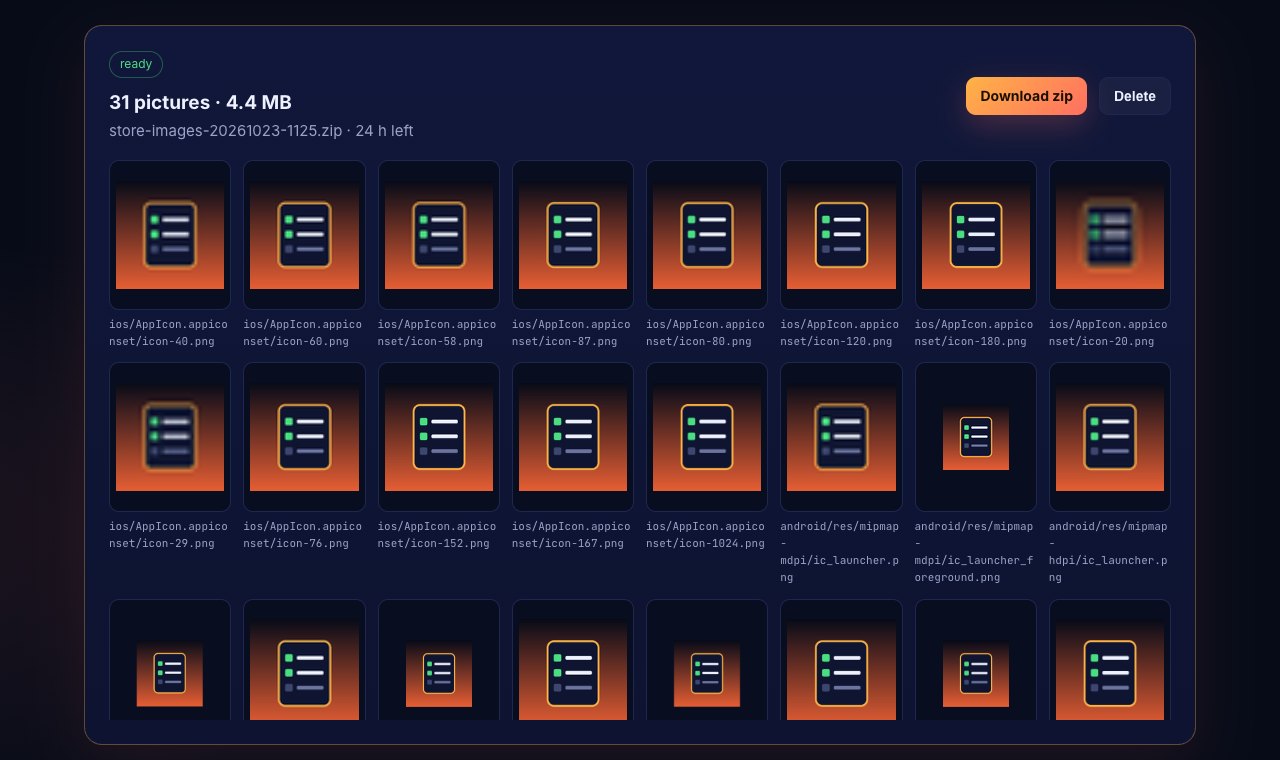
ios/AppIcon.appiconset, android/res/mipmap-*).Checking the files yourself
In the worked example every iOS icon and every screenshot came out RGB with no alpha, and the Play icon and Android foreground layers kept their alpha, which is what each store asks for.
Turn one 1024 px icon and up to 10 screenshots into every App Store and Google Play size, lossless, in one zip. Free with an aipps.dev account.
Make store imagesRelated: install a test build from a QR code for the step before the listing, and the 2026 store deadlines calendar for the SDK dates that come with the next submission.
Sources: Apple Developer, App Store Connect Help, "Screenshot specifications" (device classes, sizes, required sizes, iPhone Duo, scaling), read 23 October 2026; Apple Human Interface Guidelines, App icons; Google Play Console Help, "Add preview assets to showcase your app" (icon, feature graphic, screenshot rules, promotion rules, large screens, Wear OS), read 23 October 2026; Android Developers, adaptive icons. Worked example: our own store images tool, 23 October 2026.